How to Skip, Pause, or Cancel Your SubscriptionUpdated 10 days ago
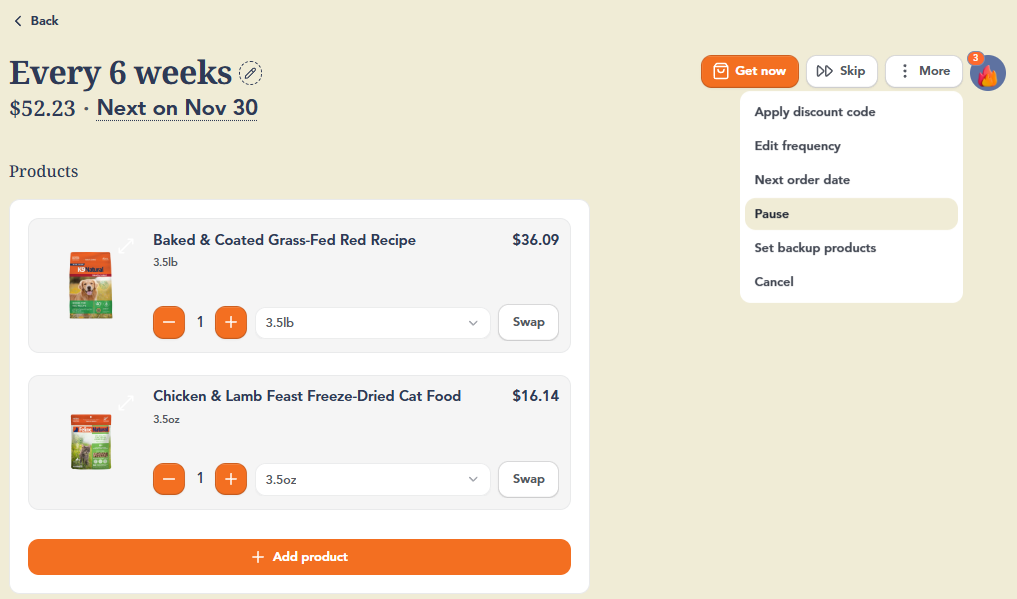
Life changes, and your subscription can flex with it. You can skip a delivery, pause your subscription, or cancel at any time through your account.
Skip your next order
Log in to your account here.
Find your upcoming order under “Upcoming Orders”.
Select “Skip” and confirm.
This order will be skipped, and your subscription will automatically resume on your next regularly scheduled date.

Pause your subscription
Log in to your account here.
Go to "Manage Subscription”.
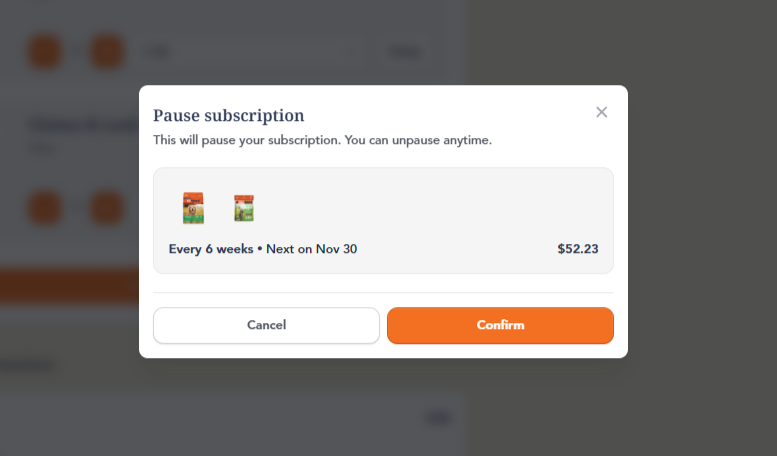
Select “Pause Subscription”.
Choose how long you'd like to pause your subscription for, or pause indefinitely, then confirm your selection.
While your subscription is paused, no subscription orders will be processed. You can reactivate your subscription at any time from your account.

Cancel your subscription
Log in to your account here.
Go to “More”.
Select “Cancel”.
You may be offered the option to pause your subscription instead, or shown an offer to stay subscribed.
If you'd still like to cancel, you can let us know why you're cancelling (optional) and confirm your selection.
Your subscription will end, and no further subscription orders will be processed.